- Home
- Equipment
- Mini Excavators
- Standard Display
Mini Excavators: Standard Display
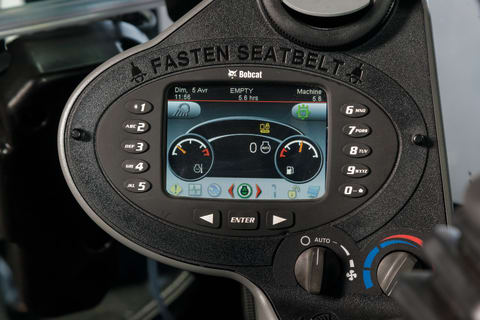
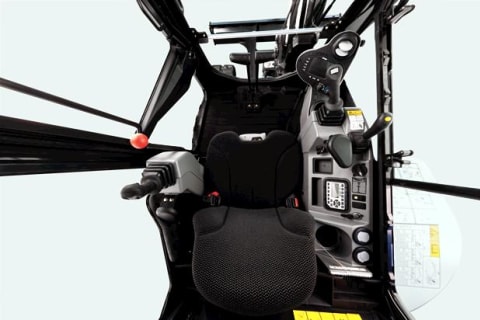
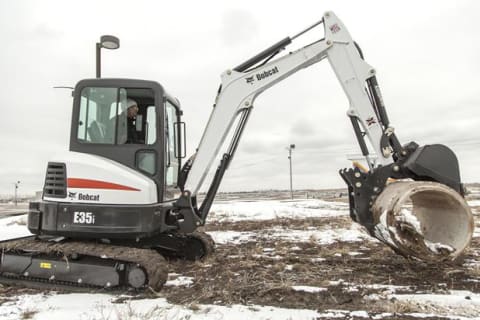
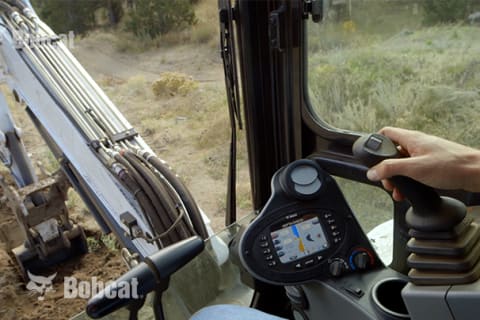
Standard on R2-Series excavators, the easy-to-read cab display provides full-featured machine interaction and monitoring capabilities from right in the cab. You can use it to activate or deactivate auto idle. Diagnostics and detailed operation information can be accessed through the display, including monitoring, troubleshooting and error conditions. If there’s a problem with the system voltage, engine oil pressure, engine coolant temperature or other major functions, you’ll know. You can also get a quick handle on maintenance needs with engine hour tracking that is visible from any screen on the Bobcat display. Run your excavator more efficiently and solve more problems in the field with the Standard Display, which supports multiple languages. Check out some of the benefits of this innovation below.
On-Demand and Auto Rearview Camera
There’s no need to crowd the cab with multiple screens. The display is integrated with the optional rearview camera. You can easily toggle the camera display whenever needed.
Hide-Away Navigation Bar
As you’re moving from screen to screen, a handy navigation bar makes it easy to find your way back. The navigation bar is hidden unless you’re actively using the display.
Unique Operator Codes
Increase your jobsite security and protect one of the most valuable tools of your trade. The display can be set with one owner profile and four operator (non-owner) profiles.
Password Protect Keyless Start
Protect your excavator by eliminating downtime due to lost keys and reducing the chance of theft or unauthorized use. You might even reduce your insurance premiums.
Detailed Full-Color Display With Jog Shuttle
With an 800 x 480-pixel display resolution, the Standard Display makes it easy to see and read machine information while working. Use the jog shuttle to scroll through the navigation bar and press the button to activate the desired function.
Timed Screen Lock
For convenient operation with minimal interruptions, the screen lock will not activate until it has been unused for a set amount of time that you determine. If you take the seat again within this time, you will be able to start the machine without entering an operator code.
On-Screen Attachment Settings
Use the display to monitor and change settings for select excavator attachments, such as the Bobcat Depth Check system.



Related Links
Parts and Service
Need Assistance?
Find Related Attachments by Product Type
Products, Attachments, Parts, Service, and Warranty Information Disclaimer
The information on this website is provided for general informational purposes only and is subject to change without notice. While we strive to ensure the accuracy and completeness of all details, errors, omissions, or outdated information may occasionally occur.
We do not warrant or guarantee the accuracy, reliability, or suitability of the information contained on this website. It is the responsibility of the user to verify the information before making any purchasing or usage decisions.
We disclaim any liability for damages or losses resulting from reliance on the information provided on this website.
For the most up-to-date and accurate information, please contact our official dealers or refer to the documentation provided with your purchase.