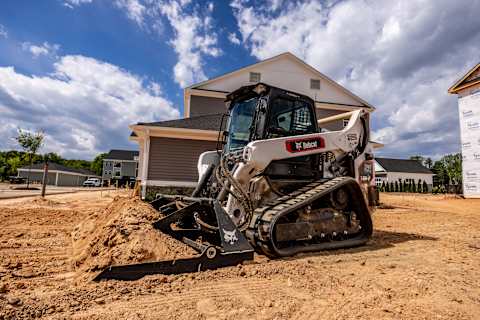
WORK IT
Work faster, smoother and more precisely
Available on Pro Loaders with Advanced or Land Management Packages*
Jobsite Companion is an in-cab assistant that connects your machine, your attachment and your job, then turns that information into guidance and action. Track progress and cost as you work, apply the right settings for every attachment, get clear answers about your machine and control key functions by voice, all without taking your hands off the controls.
*Available on select Land Management packages when configured at time of order
Know how every job is tracking before it’s finished. The Job Management Dashboard compares real job activity against the estimate, so operators can see how their work stacks up against the plan, and owners can check progress anytime in the Owner Portal.
Work faster, smoother and more precisely
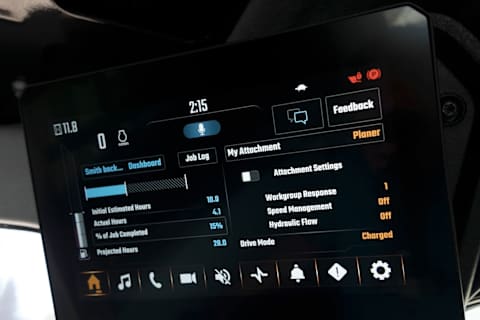
Track hours and drive efficiency in real time
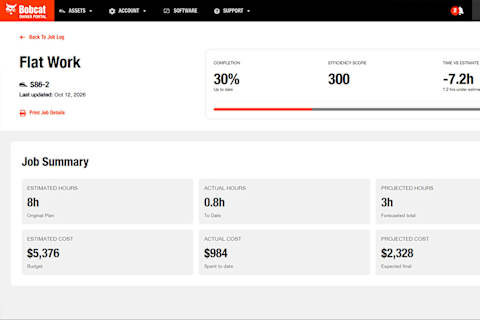
Review job progress and account for every dollar spent
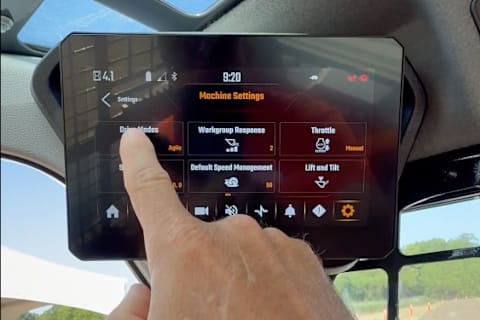
Every attachment works best with its own settings, but on a busy job, most operators never adjust them. Jobsite Companion applies the right setup for the Bobcat attachment you're running, so you can maximize performance and efficiency.
Jobsite Companion knows your machine inside and out, from fault codes and troubleshooting steps to vitals, specs and service. Just ask, and get a clear answer without leaving the seat or digging through a manual.
Changing a setting shouldn't mean stopping the work. With Jobsite Companion, hold the mic button on the left joystick, say what you need and keep going. No reaching, no scrolling, no letting go of the controls.
No matter the job, Jobsite Companion is your ultimate assistant to adjust settings and optimize your work, helping you get the job done faster.
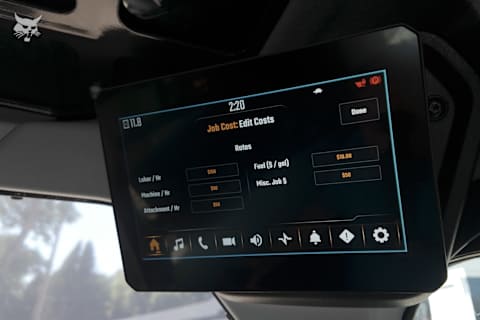
Before the first pass, say "create a new job," name the lot and set your estimated hours and operational costs and you’re ready to go.

Connect the snow blower, and Jobsite Companion applies the optimized settings. As you clear the lot, the progress bar tracks your pace, and when snow builds up on the glass, just say "single wipe" to activate the windshield wiper and keep both hands on the controls.
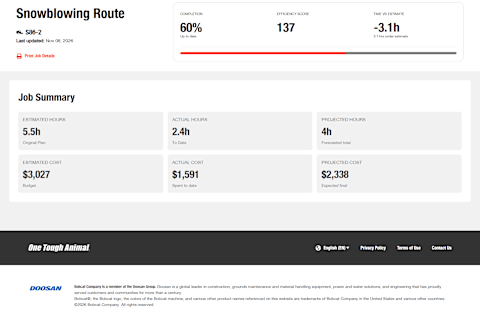
When you’re finished, say "set job progress to 100%" to complete this job. Back at the office, review efficiency scores for every job in the Bobcat Owner Portal. Understanding the cost of your job and machine will allow you to make more informed future business decisions.
Before the first cut, say "create a new job," name the site and set your estimated hours and operational costs, then you’re ready to start grading.
Rough grade with the bucket. Before you switch, say "change attachment to soil conditioner," and its optimized settings will be ready when you hook it up. For finish passes, fine-tune speed management by voice without letting go of the controls.
When you’re finished, say "set job progress to 100%" to complete this job. Back at the office, review efficiency scores for every job in the Bobcat Owner Portal, then export or print the results to share with your team.
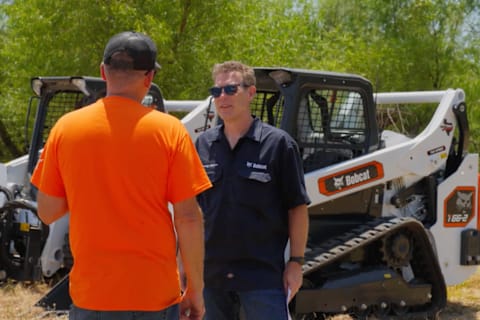
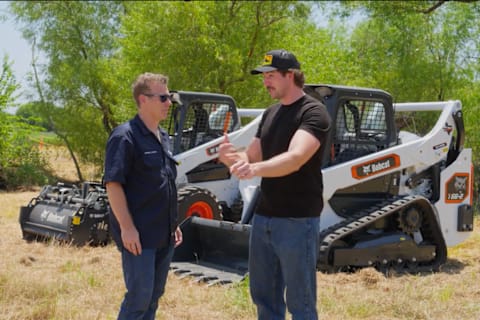
Experienced operator Stanley “Dirt Monkey” Genadek got hands-on with the Bobcat Pro T86-2. See what stood out, from 115 hp and a 12-foot lift height to Jobsite Companion and the Job Cost Dashboard.
-Haus Plans, Contractor & Creator
-Haus Plans, Contractor & Creator

-Jon Dawson, Contractor & Creator
-Mitchell Stapleton, Racer & Creator

-Mitchell Stapleton, Racer & Creator
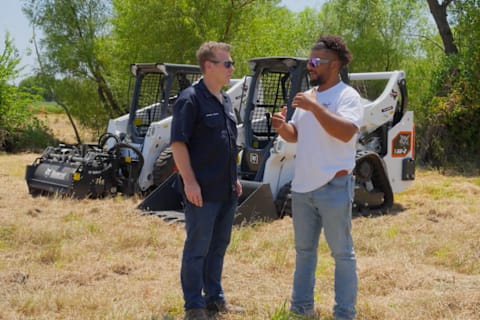
-Jon Dawson, Contractor & Creator
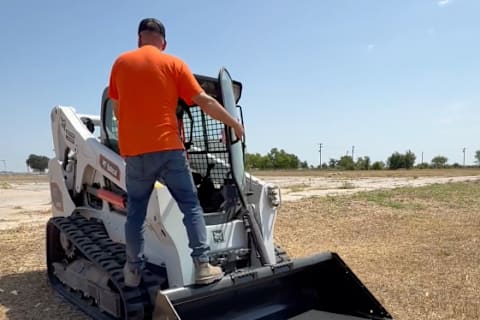
-Haus Plans, Contractor & Creator
Bobcat Jobsite Companion is an voice-enabled in-cab operating experience designed to help the operator run their machine more efficiently, and keep their hands on the controls. It helps optimize performance and delivers real-time job insights so operators can work faster.
Jobsite Companion brings together voice-activated commands, attachment-specific machine settings, built-in machine guidance and job management insights in one experience. It’s available on Bobcat Pro loaders on the Advanced package.
To see which loaders are compatible or to find the right configuration for your work, explore loader packages or contact your local Bobcat dealer.
Jobsite Companion works directly in the cab through voice-activated control. Operators press and hold a joystick button, say a command or question, and see and hear the system respond instantly on the display.
That allows operators to activate features, adjust settings, get machine information, and track job performance without stopping operation. The result? Fewer disruptions, more consistent focus and a more efficient way to stay engaged with both the machine and the task at hand.
Jobsite Companion is available on these eligible Bobcat Pro loaders with the advanced package:
Explore the Bobcat Pro loader lineup with Advanced Package equipped or contact your local authorized Bobcat dealer to experience Jobsite Companion for yourself.
Jobsite Companion is designed for both new and experienced operators, as well as contractors and business owners. It helps lower the barrier to entry for novice operators while helping experienced professionals work faster and more precisely.
Whether the goal is faster setup, less guesswork, easier operation, better machine insight or stronger job-cost visibility, Jobsite Companion is built to help a wide range of users work more efficiently throughout the day.
Jobsite Companion is available on these eligible Bobcat Pro loaders with the advanced package:
Explore the Bobcat Pro loader lineup or contact your local authorized Bobcat dealer to learn more.
Jobsite Companion supports machine control operations, attachment setup, troubleshooting and profitability tracking in one connected operating experience.
On the jobsite, Jobsite Companion can help operators:
Jobsite Companion makes the machine easier to operate, learn, and optimize over time.
Jobsite Companion is available on these eligible Bobcat Pro loaders with the advanced package:
Explore the Bobcat Pro loaders or contact your local authorized Bobcat dealer to experience Jobsite Companion for yourself.
Yes. Jobsite Companion listens only when the microphone is actively being pressed to help manage 50+ machine functions in the cab. By pressing a button on the joystick and speaking a command or asking a question, the operator can see and hear actionable feedback through the display in real time.
Jobsite Companion listens only when the microphone is activated. That allows operators to adjust settings, activate features, and get machine information without stopping the work.
Jobsite Companion is available on these eligible Bobcat Pro loaders with the advanced package:
Explore the Bobcat Pro loader lineup or contact your local authorized Bobcat dealer to learn more.
Yes. Jobsite Companion can apply the optimal machine settings for the Bobcat attachment being used and remember those settings for the next job. That helps operators get the performance and efficiency the machine and attachment are designed to deliver, without stopping to sort through settings manually.
For many operators, those settings can take time to activate. Jobsite Companion simplifies that process, helping reduce setup time, remove guesswork, and set up attachments for consistent, reliable performance.
Jobsite Companion is available on these eligible Bobcat Pro loaders with the advanced package:
Explore the Bobcat Pro loaders or contact your local authorized Bobcat dealer to experience Jobsite Companion for yourself.
Yes. Instead of stopping work to search for answers, operators can ask for insights into the health and operation of the machine by pushing a button on the joystick and asking the machine. It can provide actionable information on fault codes, troubleshooting steps and machine operation questions, helping operators better understand machine status and what to do next.
Instead of stopping work to search for answers elsewhere, operators can get clearer insight into the health and operation of the machine while staying in the cab. That helps support faster troubleshooting, decisions and a more efficient way to stay productive.
Jobsite Companion is available on these eligible Bobcat Pro loaders with the advanced package:
Explore the Bobcat Pro loader lineup or contact your local authorized Bobcat dealer to learn more.
Jobsite Companion supports job cost tracking and profitability through the built-in Job Management feature, which compares estimated job costs with actual job activity as work progresses. To help operators and owners track job activity and compare actual costs with their estimates.
The Job Cost Dashboard can track:
These insights can help operators and owners identify potential cost overruns, adjust job planning and make more informed bidding and scheduling decisions.
Jobsite Companion is available on these eligible Bobcat Pro loaders with the Advanced Package:
Explore the Bobcat Pro loader lineup or contact your local authorized Bobcat dealer to learn more.
Jobsite Companion is only available on the following Bobcat Pro loaders when equipped with the Advanced package and as an option for the Land Management package on the T86-2.
Availability can vary by model, market and configuration, review eligible Pro loaders with the Advanced packages to best determine how Jobsite Companion fits your operation, or contact your local Bobcat dealer for details.
Explore the Bobcat Pro loader lineup or contact your local authorized Bobcat dealer to learn more or experience Jobsite Companion.
No. Jobsite Companion is not available on Bobcat Classic loaders. Jobsite Companion is available only on Bobcat Pro loaders when equipped with the Advanced package and as an option for the Land Management package on the T86-2.
Eligible models include:
Classic loaders focus on simplified package options and proven performance, while Pro loaders are designed for customers who want more advanced technology, comfort and control features.
Explore the Bobcat Pro loader lineup or contact your local authorized Bobcat dealer to learn more or experience Jobsite Companion.
Jobsite Companion is available with the Advanced package on Bobcat Pro loaders and as an option for the Land Management package on the T86-2.
Eligible models include:
Explore the Bobcat Pro loader lineup to compare eligible models and package options, or contact a local authorized Bobcat dealer to learn more or experience Jobsite Companion.
No. Jobsite Companion does not require an app or an internet connection to operate. It is integrated directly into the machine display and runs locally on the machine, allowing operators to use its features in the cab without relying on a cloud connection or external internet service.
Jobsite Companion is available on these eligible Bobcat Pro loaders with the advanced package:
Explore the Bobcat Pro loaders or contact your local authorized Bobcat dealer to experience Jobsite Companion for yourself.
No. Jobsite Companion does not replace the operator or operate the machine independently. The operator remains responsible for controlling the machine and performing the work.
Jobsite Companion supports the operator by providing:
Jobsite Companion is available with the Advanced package and as an option on the T86-2 Land Management package.
Explore the Bobcat Pro lineup or contact a local authorized Bobcat dealer to learn more about compatible models and package options.
Jobsite Companion is different from other operator assistance technology, because it is the compact equipment industry's first AI-enabled solution for compact loaders, featured on the Compact Track Loaders and Skid-Steer Loaders. It combines the following all-in-one:
Jobsite Companion is available on these eligible Bobcat Pro loaders with the advanced package:
Explore the Bobcat Pro loader lineup or contact your local authorized Bobcat dealer to learn more.

WARNING: This product can expose you to chemicals including engine exhaust (including diesel engine exhaust when equipped), lead and lead compounds, mineral oils, soots, phthalates, and carbon monoxide which are known to the State of California to cause cancer and birth defects or other reproductive harm. For more information go to www.P65Warnings.ca.gov.
Certain specification(s) are based on engineering calculations and are not actual measurements. Specification(s) are provided for comparison purposes only and are subject to change without notice. Specification(s) for your individual equipment will vary based on normal variations in design, manufacturing, operating conditions, and other factors.